
2.5.1.3 Adding an FTP URL
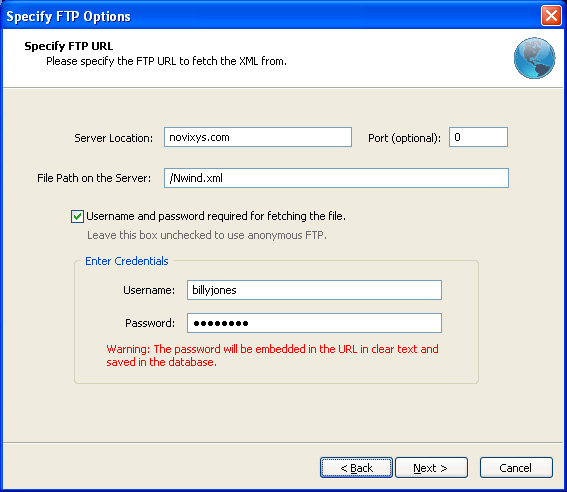
Adding an FTP source for importing XML into SQL Server is easy using the FTP options panel.
Server Location: Enter the name of the FTP server or the IP address.
Port: The port number on which the FTP server is listening can be entered here. Enter it only if different from the default of 21.
File Path on the Server: Enter the full path name to the XML file here. The path name should start with a /.
Username and Password Required: If a user name and password is required to access the file, select this checkbox and enter the user name and password.
Note: Though the password is not shown when you enter it in the Password box, the user name and password are embedded in the URL and stored in plain text in the database.
Click Next to begin downloading the file from the FTP server.
Argon DataViz
Create Pivot Tables and Pivot Charts from Large Datasets.
Swift XML Converter
Query & extract XML data into Microsoft Excel (XLS), Microsoft Access (MDB or ACCDB), or CSV.
Exult Standard
Convert XML into Microsoft Excel (XLS), Microsoft Access (MDB or ACCDB), or CSV.
Exult MySQL
Import XML data into automatically created MySQL tables.