
XML Conversion Tools
Convert XML to Excel, Access, CSV & Text
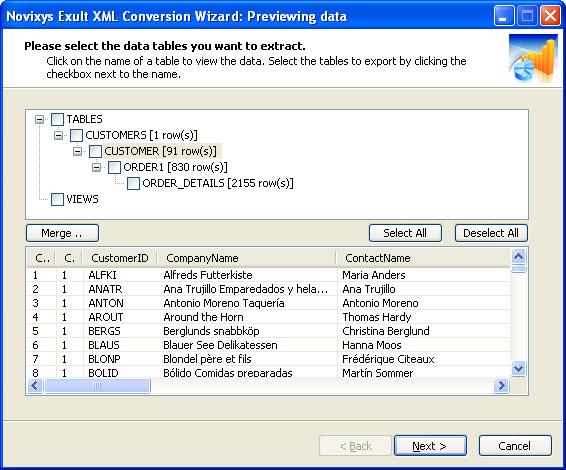 Previewing the data.
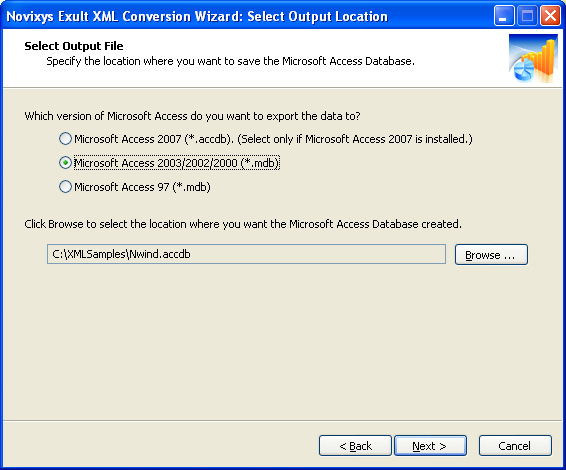 Exporting XML data to
Microsoft Access.
Exporting XML data to
Microsoft Access.
Exult XML Conversion Wizard version 2.8
Convert XML into Microsoft Excel (XLS) or Microsoft Access (MDB or ACCDB) or CSV.
Exult Standard helps you import the data from one or more XML files into a Microsoft Excel Spreadsheet (XLS file), a Microsoft Access Database (MDB or ACCDB file) or CSV (comma separated values).
- Automatically figures out relationships: Data tables are created with parent - child relationships mirroring the XML structure.
- Extract only the data you are interested in: After the XML file is loaded, you can preview the data and select the tables you want to export.
- Merge data from multiple XML files: Merge and extract the data from multiple XML files. Smart parsing will ensure the data will be merged according to the XML file structure. Check out this HOWTO.
- Supports multiple export formats: Export data to Microsoft Excel (XLS), Microsoft Access (MDB), Comma-Separated Values(CSV), HTML or Text.
- Looking for batch conversions? Use the included command-line program to set-up automated conversions.
- Easy to use: With a familiar Wizard interface, extracting data from XML files could not be easier! No need to struggle with XSL stylesheets.
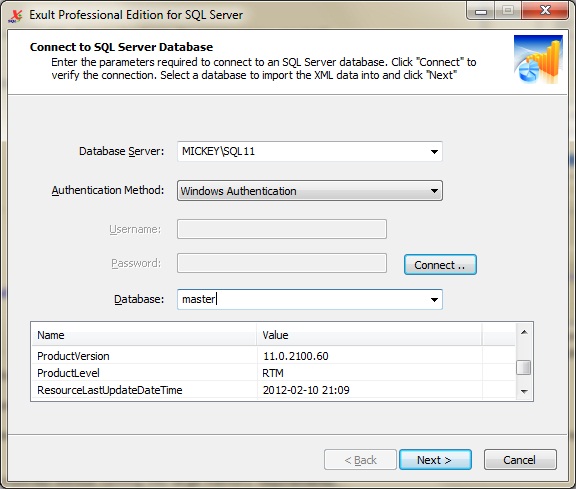 Connecting to an SQL Server
database in Exult SQL Server.
 Previewing the extracted data
in Exult Oracle.
Import XML into a Database
Import XML data into a database. No Programming Required!
Exult Professional Edition offers you an extremely easy way for extracting data from one or more XML files to a database.
- No Programming Required: Automatically builds database tables without any programming.
- Works with arbitrary XML schemas: Exult does not require a DTD or an XSD definition to be able to extract the data.
- Optimized for large files: Large and complex XML files are easily imported without running into memory requirements.
- Process many files at once: Import data from a single file or hundreds of files at once. Exult is built for heavy-duty processing jobs with a minimum of fuss.
Argon DataViz
Visualize CSV Data. Work with large datasets.
Swift XML Converter
Query & extract XML data into Microsoft Excel (XLS), Microsoft Access (MDB or ACCDB), or CSV.
Exult Standard
Convert XML into Microsoft Excel (XLS), Microsoft Access (MDB or ACCDB), or CSV.
Exult MySQL
Import XML data into automatically created MySQL tables.