
4. Database Cleanup Wizard
Use the Database Cleanup Wizard to remove all changes made by Exult. This includes any tables, views, sequences, etc created by Exult. The data in these tables will also be erased.
This operation is useful in the following cases:
- Remove the data inserted by Exult Trial version in preparation to using the Exult Full Version.
- Repair the database to be able to use Exult in case it is complaining of ’inconsistent database schema’.
- Completely remove the data inserted by Exult (Trial or Full Version.)
Note that this operation also erases any changes you may have made to the tables created by Exult.
Any tables, views, etc NOT created by Exult are NOT removed or altered by this operation.
-
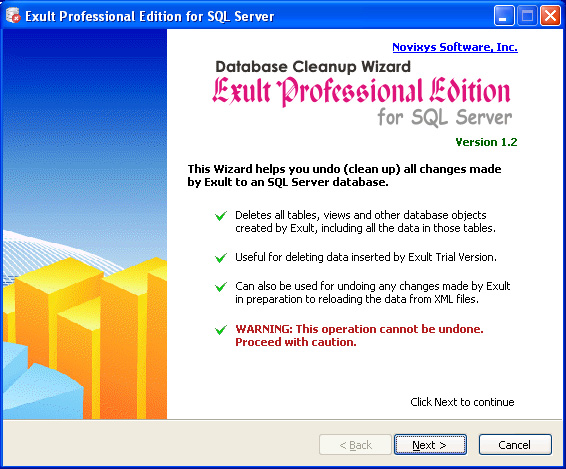
The Database Cleanup Wizard starts with this screen which gives some
information about the cleanup process. Click Next to
continue.
-
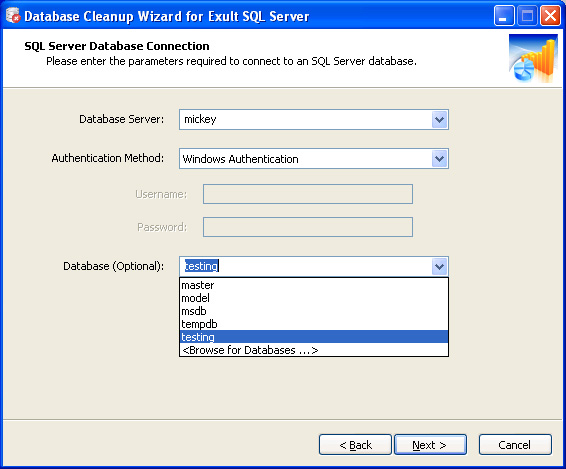
Connect to the database on which you want to run the cleanup process.
-
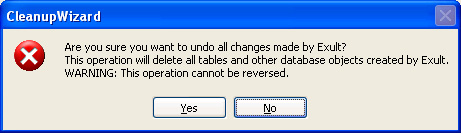
Once the database connection is successfully established, a warning
appears about the cleanup. Clicking Cancel here aborts the
cleanup process.
-
After you click OK in the warning pop-up, the cleanup process
starts, performs the cleanup and shows you a cleanup log.
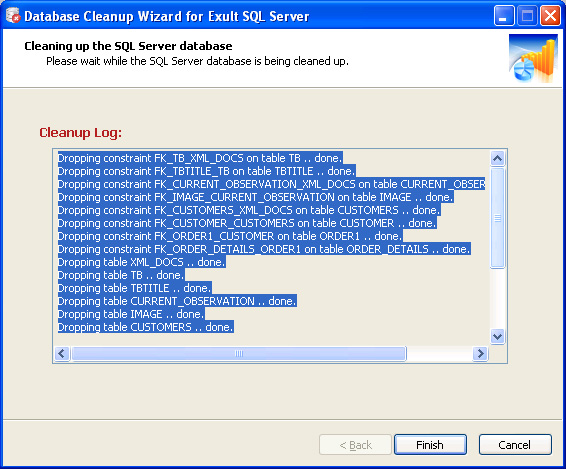
- Click Finish to exit. Any changes made by Exult SQL Server to the database have now been removed.
Argon DataViz
Create Pivot Tables and Pivot Charts from Large Datasets.
Swift XML Converter
Query & extract XML data into Microsoft Excel (XLS), Microsoft Access (MDB or ACCDB), or CSV.
Exult Standard
Convert XML into Microsoft Excel (XLS), Microsoft Access (MDB or ACCDB), or CSV.
Exult MySQL
Import XML data into automatically created MySQL tables.