
2.3 The Registration Screen
Once you purchase Exult for SQL Server, you will receive (via email) a download link where you can download the full version of the software, and a license key to use the software. The Full version download is a Setup file which installs Exult for SQL Server on your computer. Please uninstall the trial version before installing the full version (though not doing this will not cause any problems).
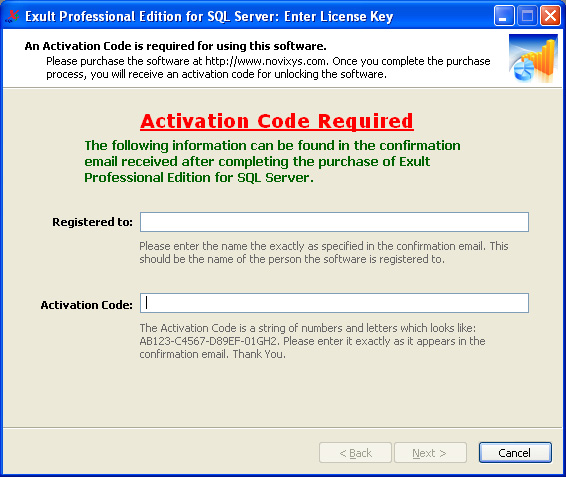
After installing the full version and running Exult for SQL Server, you will be presented with a screen where you need to enter the name and license key exactly as specified in the confirmation email. Please refer to the screen below.
Enter the name in the Registered to: field and the license key in the Activation Code field. After that is done, the Next button becomes active. When you click Next, the key is applied and you should get a confirmation message about the acceptance of the key.
Argon DataViz
Create Pivot Tables and Pivot Charts from Large Datasets.
Swift XML Converter
Query & extract XML data into Microsoft Excel (XLS), Microsoft Access (MDB or ACCDB), or CSV.
Exult Standard
Convert XML into Microsoft Excel (XLS), Microsoft Access (MDB or ACCDB), or CSV.
Exult MySQL
Import XML data into automatically created MySQL tables.