

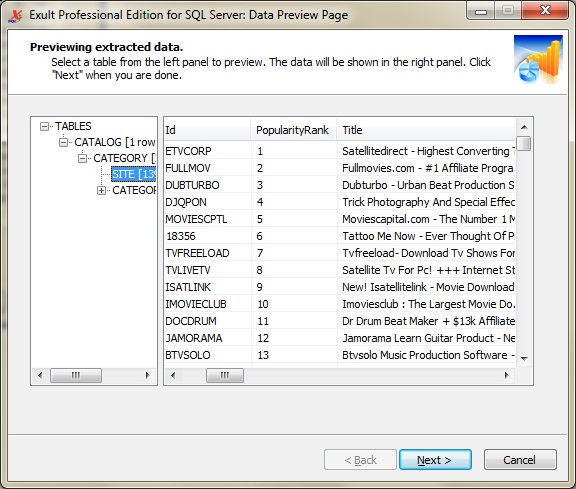
 Browsing Data after importing XML.
(Click for a larger view.)
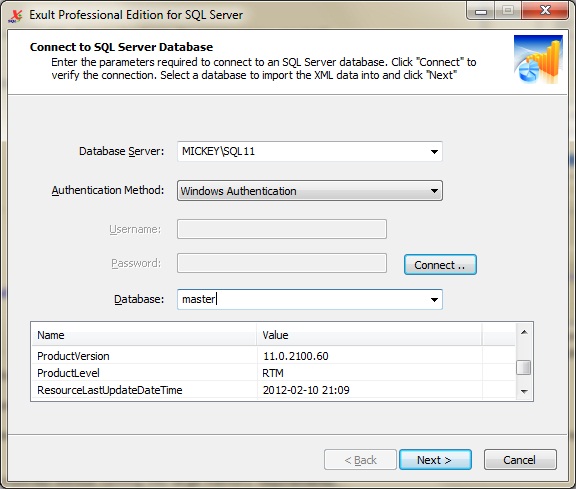
Connecting to
an SQL Server Database.
(Click for a larger view.)
Shred XML and import the data into an SQL Server database.
Exult Professional Edition for SQL Server allows you to easily shred and import data from XML files into an SQL Server database.
- With a few easy steps, import XML data from even complex XML files into an SQL Server database. No programming required!
- Optimized for importing XML into SQL Server 2012 and SQL Server 2008.
View a Demo
Shred XML & import the data into SQL Server.
Features
- XML relationships mirrored in the database: XML element structure is mirrored in the database using primary and foreign keys.
- Tables and Columns created: Database tables and columns are automatically created from XML element and attribute information.
- Import XML Feeds: Importing XML feeds from web or FTP sources is real easy. And synchronizing feeds with the latest updates is trivial too! We have also ensured that using the command line to automatically refresh the XML feeds is quite simple.
- Optimized for large files: Large and complex XML files are easily imported without running into large memory requirements.
- Process many files at once: Import data from a single file or hundreds of files at once. Exult for SQL Server is built for handling heavy-duty processing jobs with a minimum of fuss.
- Quick & Easy: No need to struggle with XSL stylesheets.
- Batch Processing: Need to import data regularly on a schedule? No problem. Use the included command-line interface to automate your XML data processing jobs.
HOWTOs
- Shred & Import XML into SQL Server
- Connecting to SQL Server
- Import XML into SQL Server from the Command Line
- Importing Multiple XML Files into SQL Server
- SQL Server Database Cleanup
Mapping XML to Tables & Columns
The following examples illustrate how Exult maps XML Elements and attributes to Database Tables and Columns.
| Example 1: XML View | Example 1: Database View |
|---|---|
(Click for larger
view) |
(Click for larger view) |
| Example 2: XML View | Example 2: Database View |
(Click for larger view)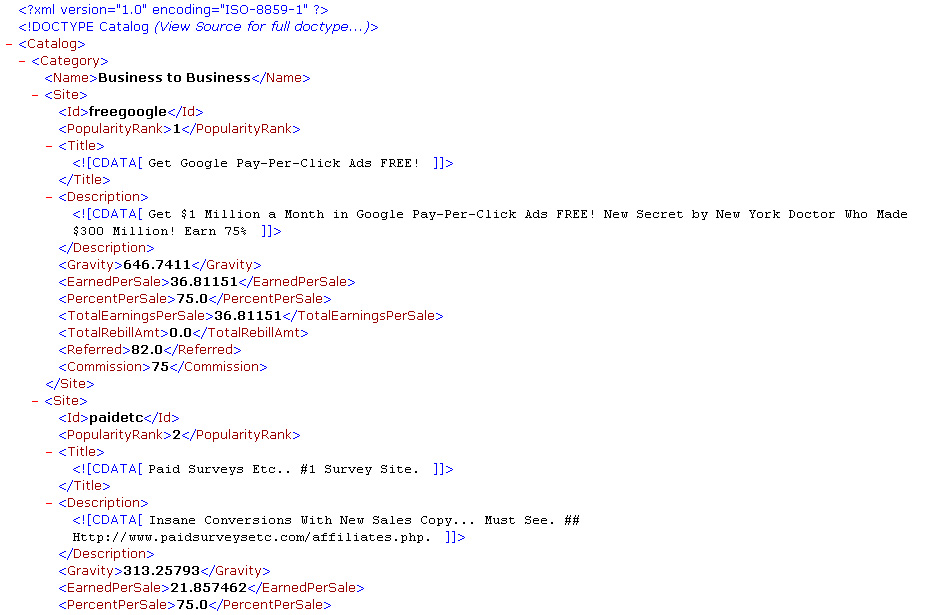 |
1. Table CATEGORY:(Click for larger view)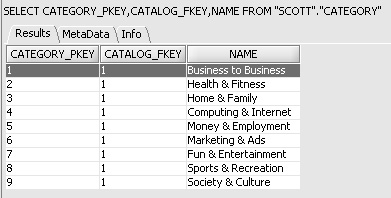 2. Table SITE:(Click for larger view) 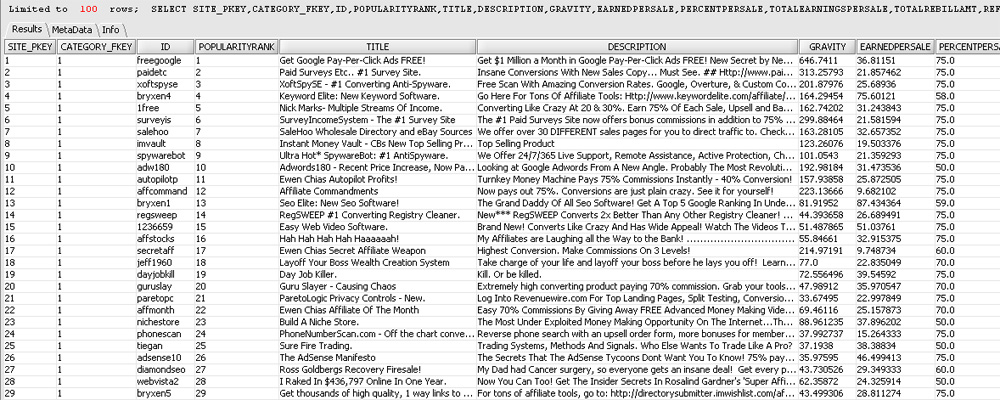 |
Compatibility
Exult Professional Edition for SQL Server has been optimized for the following versions of SQL Server:
- SQL Server 2012
- SQL Server 2008 R2
- SQL Server 2008
- SQL Server 2005
- It should also work fine with earlier version of SQL Server, though this has not been tested.
System Requirements
| Hardware | Any reasonably recent PC or Workstation. | Operating System |
Windows 7 Windows Server 2008 or 2003 Windows Vista Windows XP Windows 2000 |
|---|---|
| Software |
Access to an SQL Server Database The SQL Server database can be located on the local machine or on a remote server. In case of problems connecting to SQL Server, you may need to install the SQL Server Native Client. |
Product Documentation
Exult Professional Edition for SQL Server Trial
You can use the Exult Professional Edition for SQL Server in trial mode for 14 days. During the trial period, about 50% of the information in the XML file is imported correctly into the SQL Server database. To be able to import the data completely, upgrade to the registered version.
Our Guarantee
You are encouraged to complete the purchase of a license as soon as possible once you determine that Exult Professional Edition for SQL Server is suitable for you. You can always return it for a refund within 30 days if you are not satisfied.
Bug fix upgrades are free for the lifetime of the product. We won't ask you to pay again for an upgrade if you find a bug in the version you have purchased.
When you purchase the Exult Professional Edition for SQL Server, you won't be caught purchasing an older version when a newer version is around the corner. You get free upgrades to the latest version for upto 90 days from the date of your purchase.
Safe & Secure
- We warrant that all our products including the Exult Professional Edition for SQL Server is free from Adware, Spyware, Malware, Viruses, Key Loggers or Trojans.
- We use digital signature technology to sign all our
executables. For your safety, please ensure that you install ONLY
executable setup files signed by
Novixys Software, Inc. (See picture for illustration.)
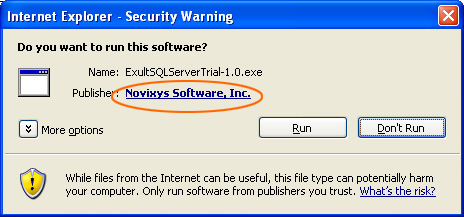
Internet Explorer warning on Windows XP
Argon DataViz
Create Pivot Tables and Pivot Charts from Large Datasets.
Swift XML Converter
Query & extract XML data into Microsoft Excel (XLS), Microsoft Access (MDB or ACCDB), or CSV.
Exult Standard
Convert XML into Microsoft Excel (XLS), Microsoft Access (MDB or ACCDB), or CSV.
Exult MySQL
Import XML data into automatically created MySQL tables.