
1. Import XML into SQL Server
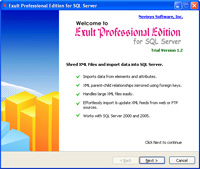
Exult is a powerful Windows application which helps you shred XML and import the data into an SQL Server database.
Exult works primarily with data-centric XML files to extract data to SQL Server. The XML structure information is reflected in the database using primary and foreign key constraints.
Main Features
- Automatically figures out Table Data: The XML is shredded in an intuitive way to extract table data simplifying the task of sorting through the data.
- Tables and Columns created: Database tables and columns are automatically created from XML element and attribute information.
- Maintains Table Relationships: Table relationships (which are dictated by the XML structure) are maintained by the use of auto-generated primary and foreign keys. Makes it easy to see how the data in separate tables relate to each other.
- Merge and import data from multiple XML files: Smart parsing ensures that the data will be merged according to the XML file structure.
- Imports Attribute information too when loading XML: Attribute information within the XML is treated similar to element information and is extracted to appropriate tables.
- Optimized for large files: Large and complex XML files are easily imported without running into large memory requirements.
- Process many files at once: Import data from a single file or hundreds of files at once. Exult for SQL Server is built for handling heavy-duty processing jobs with a minimum of fuss.
- Automate Imports: Automate XML import into SQL Server using the included command line interface. Use the Windows Scheduler to schedule jobs to run as frequently as you want.
| 1.1 Import a single XML file into SQL Server | ||
| 1.2 Import multiple XML files into SQL Server | ||
| 1.3 Import XML from an HTTP URL into SQL Server | ||
| 1.4 Update (synchronize) XML feed in SQL Server |
Argon DataViz
Create Pivot Tables and Pivot Charts from Large Datasets.
Swift XML Converter
Query & extract XML data into Microsoft Excel (XLS), Microsoft Access (MDB or ACCDB), or CSV.
Exult Standard
Convert XML into Microsoft Excel (XLS), Microsoft Access (MDB or ACCDB), or CSV.
Exult MySQL
Import XML data into automatically created MySQL tables.